

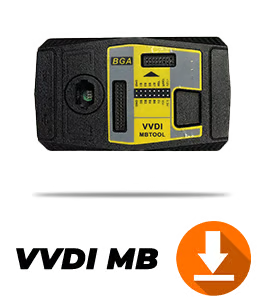
Xhorse VVDI MB BGA Tool V5.1.6 Software & User Manual Download
Download the latest Xhorse VVDI MB BGA Tool V5.1.6 software update and official user manual. This release includes stability bug fixes and full support for Mercedes-Benz BE keys, NEC keys, BGA password calculation, and EIS/ELV programming.
Download Details & System Requirements
- Software Version: BENZ V5.1.6
- Release Date: 2023-06-12
- Hardware Requirement: Requires Firmware V5.0.1 or newer
- Archive Extraction Password:
mk3
(Insert your WordPress File or Button blocks here for the Software V5.1.6 link and the User Manual PDF link)
What’s New in V5.1.6
- Bugfix: Resolved minor software bugs from previous versions to improve overall stability during key generation and password calculation.
Xhorse VVDI MB BGA Tool Core Functions
- BE Key Support: Read passwords and prepare new BE keys directly via Infrared (IR).
- On-Board NEC Password Reading: Read passwords on-board for NEC V051 and V057 keys.
- NEC Key Programming: Full on-board writing and erasing support for all NEC key versions.
- Fast Password Calculation: High-speed password calculation supporting BGA keys and NEC keys (including versions 51 and 57).
- EIS & ELV Maintenance: Read, write, and renew Electronic Ignition Switch (EIS) and Electronic Steering Lock (ELV) modules.
- Online Key Generation: Generate key files online directly through the software interface.
- Upcoming Features: Direct ELV unlocking and support for renewing additional Mercedes-Benz control modules will be added in upcoming firmware releases.
How to Install & Update
- Ensure your VVDI MB BGA Tool hardware is updated to Firmware V5.0.1 using the Xhorse Upgrade Kit before running this software.
- Download the V5.1.6 archive file using the link above.
- Extract the folder using WinRAR or 7-Zip with the password
mk3. - Connect your VVDI MB Tool to your PC via USB and launch the software.
PASSWORD: mk3
